


Captain D's
4.71.05K Reviews
App Specs
- Version
- 3.2.0
- Updated On
- License
- Free
- Downloads
- 100,000+
- Developer
- Captain D's
- Categories
- Food & Drink
- Platform
- Android
Screenshots
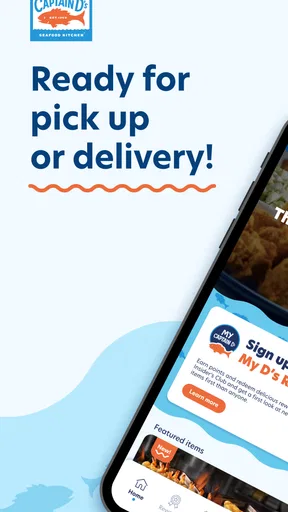
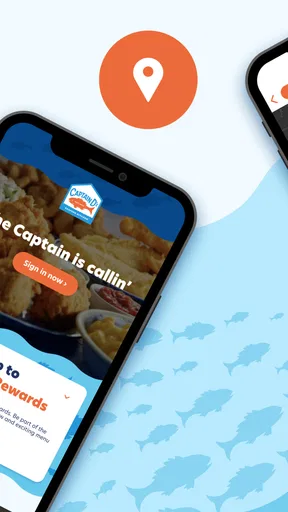
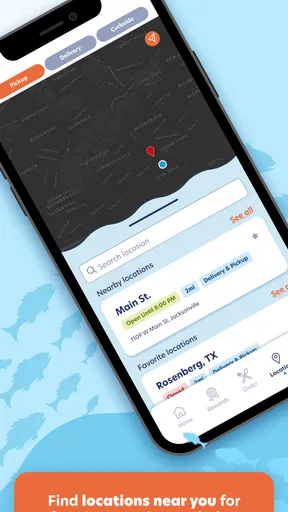
 Analysis by AppCompare
I found Captain D’s most useful when I treated it as a quick decision-making tool rather than a complete replacement for every restaurant or delivery app. It puts the Captain D’s experience in one place, which is handy when I already know I want seafood, a familiar combo, or a convenient pickup. My overall view is positive: this is a focused Food & Drink app that keeps the brand close at hand, but its value depends heavily on whether you regularly choose Captain D’s in the first place.
The app is free and developed by Captain D’s. It has built a strong audience on Android, with a 4.7 average from around ten thousand ratings and more than one hundred thousand installs. Those numbers suggest that it is doing the basic job well for many customers, although popularity alone does not make it the best option for everyone. I would recommend it most readily to people who already visit Captain D’s and want a simpler way to plan or place their next order.
What using Captain D’s feels like in everyday life
The first thing I noticed is how narrow the app’s purpose is, and that is actually a benefit. Instead of asking me to browse a huge marketplace filled with unrelated restaurants, it keeps my attention on Captain D’s. When I am deciding what to eat during a busy afternoon, that reduced choice can be more useful than a long list of possibilities. I can focus on the menu, the location, and the kind of order I want without wandering through an entire delivery platform.
A realistic example is a weeknight when I am leaving work and want to pick up dinner on the way home. I would open the app before driving, look through the available Captain D’s options, and make the decision while I am still parked or waiting to leave. That small change matters: I am less likely to arrive at the restaurant undecided, and I can use the app as a planning step instead of standing at the counter trying to remember what everyone wanted.
It also makes sense for repeat customers. If I have already found a meal I enjoy, returning to the same restaurant app is less effort than searching again in a general food service. The focused design works particularly well for someone who has a usual order, a preferred location, or a household routine built around Captain D’s. In that situation, the app feels practical rather than excessive.
Captain D’s is listed for Everyone, which matches the straightforward nature of the experience. It is not presented as a specialist tool for professional users or a complicated ordering system. A parent choosing dinner, a student looking for a familiar meal, or someone arranging a quick pickup should be able to understand the purpose without much explanation.
Why the focused approach is its biggest strength
My strongest positive impression is that the app does not need to compete with a broad marketplace to be useful. A general delivery service is better when I am comparing several restaurants, checking different cuisines, or trying to find the lowest overall cost across a wide area. Captain D’s takes the opposite approach. It is more like keeping the restaurant’s menu and ordering path nearby whenever I already know where I want to eat.
Worth Reading Before You Choose

EA SPORTS FC Mobile 26 Is a Bigger Football Game, but It Takes Time

Flipboard Shows What News Apps Must Do Beyond the Feed

Switching to Android Auto Means Rethinking Your Driving Routine

Google Calendar Makes a Crowded Week Easier to Manage

Ludo King Makes the Most of the Minutes Between Plans

Baby Panda World Brings Quick Play to Modern Phones, but Its Game Library Feels Busy
That distinction helps in a few less obvious situations. If I am ordering for several people, the brand-specific app can reduce the temptation to switch restaurants halfway through the process. If I am buying food for a family member who has a dependable favorite, I can go directly to the relevant menu rather than sorting through irrelevant results. And if I am trying to make a fast choice during a short break, the smaller scope can feel calmer than a marketplace packed with promotions and competing listings.
I also like the psychological advantage of separating restaurant choice from ordering. With a broad service, I often spend more time comparing than eating. Here, the main question is usually whether Captain D’s fits the occasion. Once I answer that, the app gives me a more direct path toward the meal. That will not matter to someone who enjoys exploring, but it is a real strength for people who value routine.
The app’s current version is 3.2.0, and it was released on January 20, 2023. I would not treat those details as a reason to install it by themselves, but they help place the app in context: this is an established restaurant companion rather than a brand-new experiment. In my experience, that makes it easier to approach as a practical everyday utility.
Useful habits that make the app work better
My first tip is to decide what kind of order you are preparing before opening the app. If I am ordering only for myself, I can move quickly through the menu. If I am ordering for a group, I prefer to collect everyone’s choices first and then enter the order in one pass. That prevents the app from becoming a place where I repeatedly open and close screens while people change their minds around me.
My second tip is to use the app as a pre-visit planning tool even when I intend to order in person. Looking at the available choices beforehand gives me time to consider the meal without a queue behind me. This is especially helpful when I am with someone who needs extra time to decide or when I am trying to keep a short lunch break on schedule.
A third useful habit is to separate convenience from certainty. I would review the selected location and the final order carefully before committing, particularly when arranging food for other people. Restaurant apps can make a familiar order feel automatic, and that is precisely when a small mistake can slip through. The app helps reduce friction, but it does not remove the need to check what I am actually requesting.
For households, I would also keep a simple note of the meals each person prefers rather than relying on memory inside the app. That is not a special feature; it is a workflow improvement. The app handles the restaurant-specific part, while a small family list handles the human part. Together, they make repeat ordering much less stressful.
Where it compares well with general food apps
Compared with a broad delivery marketplace, Captain D’s is less flexible but more focused. A marketplace wins when I want to compare seafood with pizza, burgers, groceries, or local independent restaurants. It may also be a better choice when I need to coordinate several restaurants in one search. Captain D’s wins when the restaurant decision has already been made and I want fewer distractions between that decision and my meal.
Compared with calling the restaurant, the app can be easier for people who prefer seeing the order rather than explaining it aloud. I can take a moment to review what I am choosing, which is useful when an order includes several items. Calling may still be better for an unusual request or a situation that needs a personal explanation. I would not expect a focused ordering app to replace direct conversation in every special case.
Compared with simply walking in, the app is most valuable when time matters. It lets me think ahead and potentially reduce the amount of decision-making at the counter. However, walking in remains the more natural option when I am already nearby, have not decided what I want, or need to ask a staff member about something specific. The app adds convenience; it does not make the physical restaurant irrelevant.
The limitation I noticed most
The main weakness is also the unavoidable trade-off of a brand-specific app: its usefulness is tied to Captain D’s. If I am browsing for inspiration, comparing prices between restaurants, or searching for a meal outside this chain, I gain little from opening it. A general food app is the better starting point for those situations because it gives me a wider view.
This narrow focus can also make the app feel unnecessary for occasional visitors. If I go to Captain D’s only once in a long while, installing a dedicated app may not save enough time to justify another app on my phone. I would probably use a browser, visit the restaurant directly, or rely on a service I already have installed. The free price removes the financial barrier, but it does not remove the question of whether I will use it often enough.
There is another practical limitation: a streamlined ordering path can encourage me to assume that everything will be as simple as a repeat order. When the meal involves several people, a location change, or a less familiar menu choice, I still need to slow down and verify the details. In other words, the app reduces routine effort more effectively than it handles exceptions.
I also would not choose it as my only food app. Its focused nature is exactly why it works, but it means I would still want a broader alternative for comparing restaurants or handling a mixed order. Keeping both types of app available makes more sense to me than expecting one tool to do every food-related job.
Who should install it?
I think Captain D’s is a good fit for regular customers, families with a dependable restaurant routine, and anyone who often decides on Captain D’s before deciding on the exact meal. It is also useful for people who dislike making choices under pressure. Planning an order before arriving can make a busy lunch or evening pickup feel more controlled.
It may suit people who prefer a brand-specific experience over a marketplace. Some users would rather deal directly with the restaurant they selected than sort through multiple third-party listings. For those customers, the app’s limited scope is reassuring rather than restrictive.
I would be more cautious about recommending it to someone who is trying to discover new restaurants, compare many menus, or order from several places in one session. That person will probably get more value from a general food platform. I would also skip it if Captain D’s is not a restaurant I visit with any regularity. A focused tool only becomes genuinely convenient when its focus matches my habits.
Because it is free and rated for Everyone, there is little risk in trying it if the restaurant is already part of your routine. Still, I would judge it by repeat usefulness rather than by the install itself. After a few orders, the question is simple: does it make choosing and arranging Captain D’s food easier than the method you already use? If yes, it has earned its place.
My final take on Captain D’s
Captain D’s succeeds because it does not try to be everything. It is a dedicated Food & Drink app from Captain D’s that keeps the restaurant experience close, helps me prepare an order, and makes repeat visits more convenient. Its 4.7 average from roughly ten thousand ratings supports the impression that many users find that focused approach worthwhile.
My recommendation is specific rather than universal: install it if Captain D’s is already one of your regular meal choices, especially if you often order for a family or need to save time before pickup. Use a broader food service instead when your priority is restaurant discovery, comparison, or combining different places. The app is strongest when the restaurant decision is already made.
That is the trade-off I kept coming back to. Captain D’s will not replace every food-ordering option, and it does not need to. For the right customer, its focused design removes unnecessary steps from a familiar routine. For everyone else, it may simply be another app for a restaurant they do not visit often. I would recommend it to repeat Captain D’s customers, but I would not install it expecting a complete restaurant marketplace.
Pros
- Simple menu makes it easy to browse seafood and combo options.
- Useful for checking nearby restaurant locations and opening hours.
- Offers a convenient way to explore current deals and promotions.
- Seafood-focused menu provides an alternative to typical fast-food choices.
- Helpful for planning an order before visiting a Captain D’s location.
Cons
- Available menu items and prices may vary by restaurant.
- Some app features may require location access to work properly.
- Promotions can have expiration dates or location restrictions.
- The app may feel less useful if there is no nearby Captain D’s.
- Order availability may depend on restaurant hours and local inventory.
FAQs for Captain D's
What is the Captain D’s app used for?
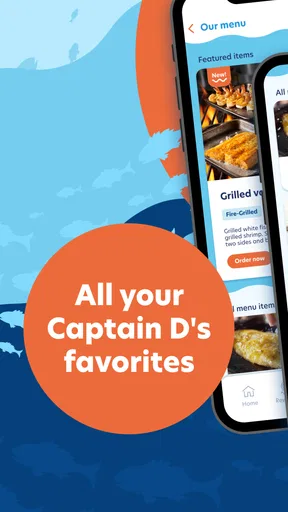
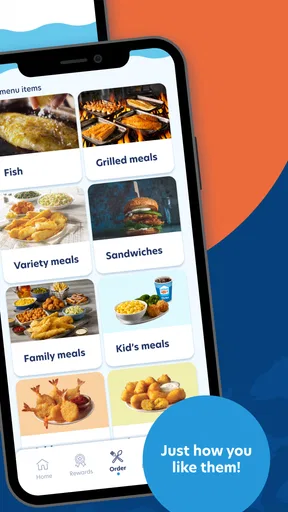
The Captain D’s app is designed to make ordering seafood and other menu favorites more convenient. Depending on your location, you can browse available dishes, customize an order, choose pickup or delivery, find nearby restaurants, and view current offers. Features may vary by restaurant and region, so some options might not appear for every user.
Can I place a delivery order through the Captain D’s app?
In supported locations, the app may allow you to order Captain D’s food for delivery, usually through an available delivery partner. Delivery availability depends on your address, restaurant hours, distance, and local service coverage. If delivery is unavailable, you may still be able to select pickup or use the app to locate the nearest participating restaurant.
Does Captain D’s offer coupons or rewards in the app?
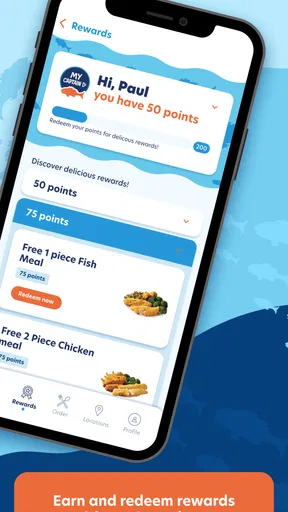
Captain D’s may provide digital coupons, promotional deals, or rewards through its app and official offers program. Available discounts can change regularly and may include restrictions such as participating locations, minimum purchase requirements, expiration dates, or limited ordering methods. Always check the terms shown in the app before relying on a promotion.
Can I customize meals and check allergen information in the Captain D’s app?
The app generally provides menu descriptions and may let you adjust certain items, sides, sauces, or meal options before checkout. However, customization and allergen information can vary by location. Seafood, fried foods, and other menu items may be prepared in shared kitchen areas, so customers with allergies should review the available information and contact the restaurant directly.
Is the Captain D’s app free to download and use?
The Captain D’s app is typically free to download from the official Android or iOS app store. You do not normally pay a separate fee simply for browsing the menu or placing a pickup order, although food prices, taxes, delivery charges, service fees, and optional tips may apply. Check the final order summary carefully before confirming payment.


